


AI Cleaner: Clean up Storage
4.4447.00 Reviews
App Specs
- Version
- 1.2.5
- Updated On
- License
- Free
- Downloads
- 5,000,000+
- Developer
- iKame Applications - Begamob Global
- Categories
- Tools
- Platform
- Android
Screenshots
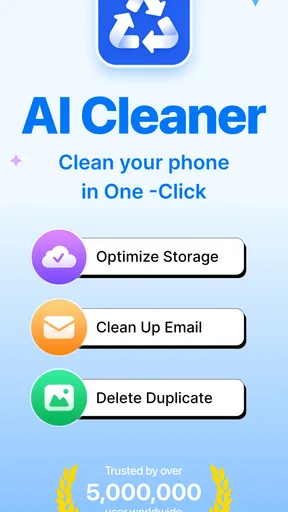
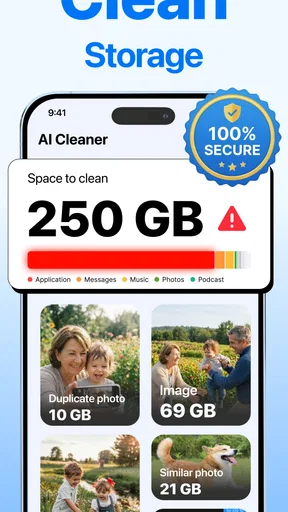
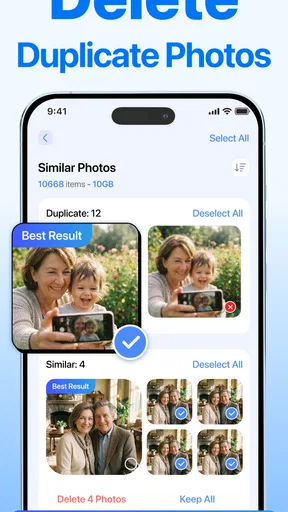
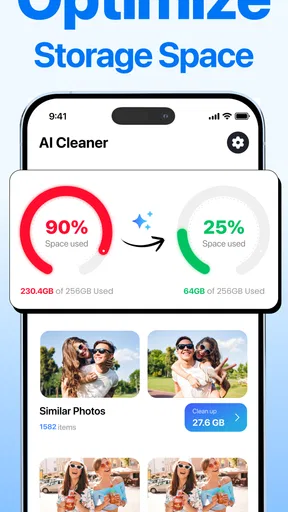
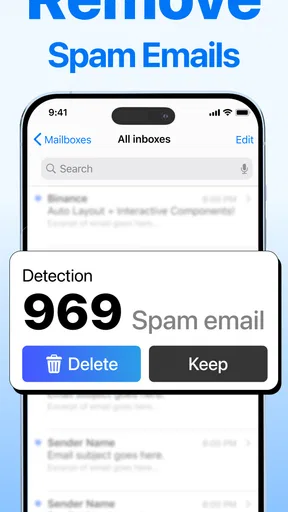

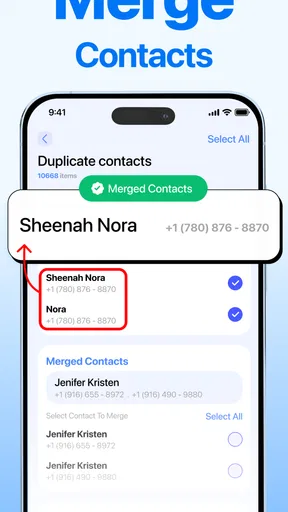
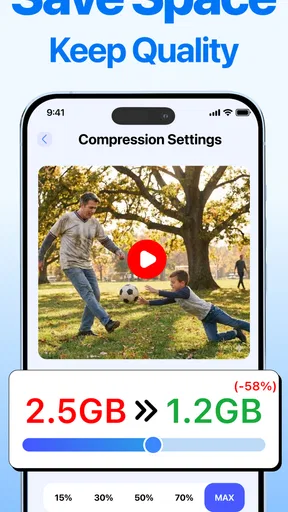
 Analysis by AppCompare
Phone storage rarely disappears in one dramatic moment. In my experience, it gets consumed quietly by screenshots, repeated photos, forgotten downloads, and a few oversized files that are easy to overlook. The problem usually becomes urgent at the worst time: when I am trying to record a video, install an update, or save an important attachment. AI Cleaner: Clean up Storage is built for that recurring cleanup job, combining junk-file discovery, duplicate-photo review, and large-file finding in one storage management tool.
After using it, my view is fairly simple: this is most useful when I want a quick visual audit rather than a long manual search through folders. It is a free app in the Tools category from iKame Applications - Begamob Global, and its focus is narrow enough to understand immediately. It does not try to become a file manager, backup service, photo editor, or security suite. Its value comes from helping me decide what can go, then making the removal process less tiring.
The app has an average rating of 4.4 from around 39 thousand ratings, with over 5 million installs. Those figures suggest that its straightforward purpose has found a sizeable audience, but they do not remove the need to review suggested deletions carefully. A cleaner can identify candidates; only I know whether a blurry-looking image is actually an important receipt or whether a large video is worth keeping.
Why this kind of cleanup becomes a recurring chore
The most frustrating part of low storage is not always the amount of space being used. It is the uncertainty. Android may show that photos, videos, apps, or other files occupy the most room, but that broad breakdown does not instantly reveal which items are safe to remove. Opening folders one by one is slow, and the same picture may appear in several places with slightly different names.
That is where this app makes sense. It turns the cleanup question from “Where did all my storage go?” into a more practical review of junk, duplicate photos, and large files. I find that distinction important. A generic storage screen tells me what is large; a cleanup-focused interface is more useful when I need to make decisions quickly.
There is also a psychological benefit to grouping likely candidates together. A long camera roll can be intimidating, especially when it includes years of personal images. Seeing duplicate or oversized items as a separate cleanup task gives me a manageable starting point. I can deal with repeated screenshots first, then move on to videos or downloads, instead of attempting a complete reorganization.
Still, I would not treat any automated cleaner as an authority. Similar photos are not always disposable, and “junk” can occasionally include something I intended to keep. The best approach is to use the app as a filter and inspection aid, not as a replacement for judgment. That is the central trade-off: it saves attention, but it cannot understand the personal meaning of every file.
Worth Reading Before You Choose

EA SPORTS FC Mobile 26 Is a Bigger Football Game, but It Takes Time

Flipboard Shows What News Apps Must Do Beyond the Feed

Switching to Android Auto Means Rethinking Your Driving Routine

Google Calendar Makes a Crowded Week Easier to Manage

Ludo King Makes the Most of the Minutes Between Plans

Baby Panda World Brings Quick Play to Modern Phones, but Its Game Library Feels Busy
The first scan and the decisions that matter
My first useful setup would be deliberately cautious. I would open the app, allow it to examine the areas required for its cleanup work, and begin with the category that feels least risky. For many people, that means repeated screenshots or obvious duplicate images rather than immediately selecting every recommendation.
The point of this first pass is not simply to press a cleanup button. It is to learn how the app presents its findings. I would check whether groups are easy to compare, whether previews are clear enough, and whether selected items can be reviewed before removal. That short inspection determines whether the tool fits my habits. A cleaner that finds plenty of candidates but makes confirmation confusing is not really saving time.
For photos, I would use a three-step workflow. First, remove exact repeats that have no sentimental or practical value. Second, inspect near-duplicates carefully, because a group may contain one sharp image and several poor shots. Third, leave uncertain items alone and return later. This is more effective than trying to make a perfect decision about the entire library in one sitting.
Large files deserve a different method. Size alone is not a reason to delete something. A long video from a family event may be large but valuable, while an old downloaded clip may be both large and irrelevant. I would sort my thinking by recoverable space: deal with files that are large, replaceable, and no longer needed before touching personal media.
One practical tip is to clean before a predictable storage crunch instead of waiting for the warning. Before a trip, for example, I would review duplicate photos and old downloads so there is room for new pictures. That workflow is less stressful because I can pause when something looks questionable rather than making rushed choices while the phone is already refusing new files.
Where it helps in ordinary phone life
Imagine I am leaving for a weekend away with limited free space. My camera roll contains several bursts of nearly identical photos, screenshots of restaurant menus, and a few large videos from an earlier trip. Rather than scrolling through everything manually, I would use the duplicate-photo view to reduce obvious repetition, then inspect the large-file area for videos I have already copied elsewhere. The useful result is not just reclaimed space; it is a shorter path to the files that are actually consuming it.
Another realistic situation is preparing for an operating-system update. When storage is tight, I do not want to delete random apps or personal photos. I would start with disposable screenshots, repeated images, and forgotten large files. That sequence protects the things I use every day while targeting clutter that tends to accumulate unnoticed.
The app can also help after a busy event. A birthday, concert, or school activity can produce dozens of near-identical pictures. Instead of choosing one by one from the full gallery, I would review the grouped candidates while the event is still fresh in my mind. That timing matters: I can recognize the best shot more easily than I could months later.
For someone who frequently receives media through messaging apps, the large-file review may be particularly useful. I would not assume every received video is disposable, but I would ask whether it is still needed, whether it exists somewhere else, and whether it can be downloaded again. That simple checklist prevents the common mistake of deleting something merely because it looks unfamiliar.
Families sharing a device may benefit from a scheduled human routine rather than constant cleaning. One person can review the categories, while the owner of the photos confirms personal items. This avoids the friction of a hurried deletion session and makes the app a practical household tool instead of an aggressive one-tap solution.
What time and effort it removes
The strongest part of this utility is the reduction in searching. Without a focused cleaner, I might jump between the gallery, downloads, file browser, and storage settings. Each area uses a different way to display information, and I have to remember what I already checked. Bringing the main clutter types into one cleanup flow reduces that mental bookkeeping.
It also removes the need to judge every image from the beginning of a camera roll. Duplicate-focused review changes the task from browsing everything to comparing a smaller set of candidates. That is a meaningful difference for anyone with a crowded gallery, especially when the goal is a quick recovery of space rather than a complete photo-library project.
Another advantage is prioritization. Large files are easy to overlook when they are buried in folders, but they can offer the biggest immediate opportunity. I like the idea of checking those files separately because it encourages a more rational cleanup: recover meaningful space first, then handle smaller clutter if there is still a reason to continue.
There is a subtle trade-off here. Convenience can make me less attentive. When a tool gathers many possible deletions in one place, the list may feel authoritative even though it is only a recommendation. I would keep the final confirmation step deliberate, particularly for photos and videos. The time saved should come from locating candidates, not from skipping the review.
For a quick maintenance session, I would set a personal stopping rule: remove only items I can identify confidently, then stop. This prevents cleanup from turning into an exhausting attempt to perfect the phone. The app is better suited to repeated, short sessions than to an emotional purge of every old file.
How it compares with the usual alternatives
The built-in Android storage tools are usually the safest first reference because they are already integrated with the operating system. They are good for seeing broad storage categories and managing individual files or apps. However, they may feel less focused when my main problem is repeated photos or a mixed pile of clutter. AI Cleaner: Clean up Storage is more appealing when I want a guided review centered on those specific cleanup targets.
A traditional file manager gives me more control over folders and filenames. That is the better choice when I need to move documents, inspect a precise directory, or understand where a file came from. The cleaner is preferable when I do not want to navigate the file structure manually and would rather start from visual categories such as duplicates and large items.
Cloud-photo services can reduce local storage through backup and removal workflows, but that is a different solution. They are designed around keeping a copy elsewhere, while this app is aimed at identifying material I may no longer need on the device. If my real concern is preserving every original photo, I would prioritize a trusted backup process before deleting anything locally.
Dedicated gallery applications may offer stronger editing, album organization, or duplicate handling. In that case, adding another cleaner could feel unnecessary. I see this app as a focused utility for people who want a separate cleanup pass, not as a replacement for a complete photo-management system.
The free entry point makes it easy to try the workflow without committing money at the start. At the same time, in-app purchases range from $6.99 to $49.99 per item, so I would pay attention to what is included before choosing any optional purchase. For occasional cleanup, the free experience may be enough; for frequent use, I would compare the cost with the value of the time it saves rather than assuming more automation is automatically worthwhile.
Limitations I would keep in mind
The biggest limitation is the possibility of false positives. A duplicate-looking photo may be a deliberately saved copy, and a large file may be important precisely because it is long or high quality. No visual grouping can replace context. I would be especially careful with screenshots containing tickets, addresses, confirmations, or work information.
There is also a difference between finding clutter and solving every storage problem. If applications themselves consume most of the space, deleting duplicate photos will not address the main issue. In that situation, the system storage screen or app-management settings may provide a clearer route. Likewise, if the problem is offline music, maps, or downloaded documents, I would inspect those services directly.
People who want detailed folder control may find the cleaner too simplified. I would skip it if I needed batch moves, file renaming, archive creation, or a precise audit trail. Its appeal depends on wanting a guided cleanup experience rather than a full technical toolkit.
I would also avoid using it as a substitute for backup. Before removing irreplaceable images or videos, I would confirm that another copy exists and can actually be opened. This is a basic precaution, but it matters more than any convenience feature. Freeing space is useful; losing a personal record is not an acceptable trade.
The app is marked for Everyone and supports Android 9 or later, which makes it accessible to a broad range of Android phones. Its current version is 1.2.5, and the release date shown for it is March 25, 2026. Those details are useful when checking compatibility, but the more important practical question is whether the interface fits my cleanup habits and whether I trust myself to review the results carefully.
My recommendation after using it
AI Cleaner: Clean up Storage is a sensible choice for Android users who repeatedly run out of room because of duplicate photos, junk, and forgotten large files. I recommend it most to people who dislike digging through folders and want a concentrated review that can be completed in short sessions. Its best quality is not magic deletion; it is the way it reduces the distance between a storage warning and a useful list of things to inspect.
I would not recommend relying on it blindly, and I would not choose it over a file manager for detailed organization or over a backup service for protecting memories. The right workflow is cautious: scan, review, preserve anything uncertain, and delete only what I can identify confidently. Used that way, it removes a recurring source of friction without turning storage maintenance into a risky shortcut.
Because it is free to start, it is easy to test against a real problem: the next time my phone is nearly full, I can see whether its duplicate and large-file views help me recover space faster than the built-in tools. If they do, the app earns a place as a practical maintenance utility. If my storage issue comes from apps or offline content instead, I would move to the system settings and the relevant service rather than forcing this cleaner to solve the wrong problem.
My final opinion is positive but measured. This is a focused tool, not an all-purpose answer to digital clutter. For the specific job of turning scattered cleanup work into a more manageable review, it can save attention and make a stressful storage shortage easier to handle. The best results come when I use its organization to guide decisions, while keeping the final decision firmly in my own hands.
Pros
- Quickly identifies large files and unused media.
- Simple interface makes storage cleanup easy.
- Helps find duplicate photos and videos.
- Useful storage overview shows what takes up space.
- Can improve device organization without technical knowledge.
Cons
- Some cleanup features may require a premium subscription.
- Scanning can take time on devices with extensive storage.
- Results may need manual review before deleting files.
- Ads may interrupt the free version’s cleanup process.
- Privacy details should be checked before granting file access.
FAQs for AI Cleaner: Clean up Storage
What is AI Cleaner: Clean up Storage, and what does it do?
AI Cleaner: Clean up Storage is a mobile utility designed to help organize and free space on your device. It typically scans for unnecessary files, duplicate or similar photos, large videos, old screenshots, and other items that may be taking up storage. After reviewing the results, you can choose what to remove instead of deleting everything automatically, making it easier to manage storage safely.
Is AI Cleaner: Clean up Storage safe to use?
The app can be useful for identifying clutter, but you should still review its suggestions carefully before confirming deletion. Cleaning tools may request access to photos, videos, files, and sometimes contacts or other device information, depending on the features available. Always check the permissions, privacy policy, and selected items, and keep important files backed up before performing a large cleanup.
Can AI Cleaner remove duplicate photos and unwanted files automatically?
AI Cleaner may detect duplicate or visually similar photos, old screenshots, large media files, and other categories of unwanted content. However, detection is not always perfect: similar images may be personal favorites, edited versions, or important documents. The safest approach is to inspect the proposed items manually, deselect anything you want to keep, and then approve the cleanup rather than relying entirely on automatic removal.
Is AI Cleaner: Clean up Storage free, or does it require a subscription?
The app may offer basic cleaning features at no cost while reserving unlimited scans, advanced photo organization, ad-free use, or other tools for a premium plan. Pricing, trial terms, and available features can differ between Android and iOS and may change with updates. Before starting a trial, review the subscription screen carefully, including renewal conditions and cancellation instructions.
What should I check before downloading and using AI Cleaner?
Before installing AI Cleaner: Clean up Storage, check that your device meets the app’s operating-system requirements and that you have enough space for installation. Review the developer information, recent user feedback, requested permissions, privacy practices, and subscription details. It is also wise to back up valuable photos and files first, because storage-cleaning recommendations should always be verified before deletion.


